
Gallery


✨ ExtenIntel Summary
- •Point-and-click interface for quick data extraction from any website.
- •No coding skills required; automate scraping with Web Scraper Cloud.
- •Export scraped data easily as CSV or XLSX for seamless integration with Excel and Google Sheets.
Pricing & Plans
Free Plan
$0
Local browser use only. No automation or API.
Project
$50
/mo$40/mo (billed annually)
- ✓ Automate in cloud
- ✓ 5,000 URL credits/mo
- ✓ 2 Parallel tasks
- ✓ API & Scheduler
- ✓ Export: CSV, XLSX, JSON
Professional
$100
/mo$80/mo (billed annually)
- ✓ 20,000 URL credits/mo
- ✓ 3 Parallel tasks
- ✓ Cloud Export (Dropbox, Drive, AWS, Azure)
- ✓ Captcha & Bot bypass
Top Pick
Scale
from $200
/mofrom $167/mo
- ✓ Unlimited URL credits*
- ✓ 2+ Parallel tasks
- ✓ 60 days data retention
- ✓ Add-on Residential Proxies
- ✓ Dedicated Support Manager
✓ Top Pros
- • Easy to use and effective for data scraping, with users reporting successful data collection and export.
- • Free to use, making it accessible for a wide range of users.
× Top Cons
- • Outdated tutorials that do not help users effectively utilize the extension.
- • Issues with specific functionalities, such as not being able to find emails or problems with data export.
Full Developer Description
Free and easy to use web data extraction tool for everyone.
With a simple point-and-click interface, the ability to extract thousands of records from a website takes only a few minutes of scraper setup.
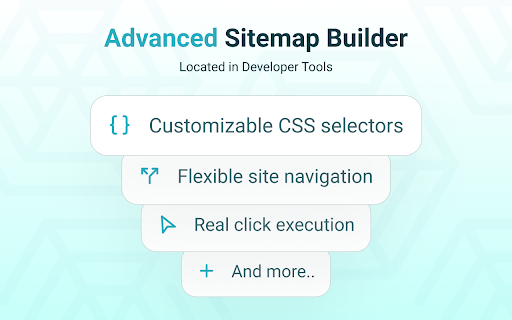
Web Scraper utilizes a modular structure that is made of selectors, which instruct the scraper on how to traverse the target site and what data to extract. Thanks to this structure, data mining from modern and dynamic websites such as Amazon, Tripadvisor, eBay, as well as from lesser-known sites is effortless.
Data extraction is run on your browser and doesn’t require anything to be installed on your computer. You don't need Python, PHP, or JavaScript coding experience to start scraping. Additionally, it is possible to completely automate data extraction in Web Scraper Cloud.
Once the data is scraped, download it as a CSV or XLSX file that can be further imported into Excel, Google Sheets, etc.
Features
Web Scraper is a simple web scraping tool that allows you to use many advanced features to get the exact information you are looking for. It offers features like:
* Data scraping from multiple pages;
* Multiple data extraction types (text, images, URL’s, and more);
* Scraping data from dynamic pages (JavaScript + AJAX, infinite scroll);
* Browsing scraped data;
* Exporting scraped data from a website to Excel;
It is dependent only on the web browser; therefore, no extra software needed for you to start scraping.
How to begin scraping?
There are only a couple of steps you will need to learn in order to master web scraping:
1. Install the extension and open the Web Scraper tab in developer tools (which has to be placed at the bottom of the screen);
2. Create a new sitemap;
3. Add data extraction selectors to the sitemap;
4. Lastly, launch the scraper and export scraped data.
It’s as easy as that!
What can Web Scraper be used for?
* Lead generation - email, phone number, other contact detail related data mining from various websites;
* E-commerce - product data extraction, product price scraping, description, URL extraction, image retrieving, etc;
* Website content crawling - extract information from news portals, blogs, forums and so on;
* Retail monitoring - monitor product performance, competitor or supplier stock and pricing, etc;
* Brand monitoring - product review, social content crawling for sentiment analysis;
* Business intelligence - gather data for key business decisions, learn from your competitors;
* Big data extraction for machine learning, marketing, business strategy developments, researches;
* And much more.
Web scraping can be a little bit difficult at first, that's why we have created informational guides that can help you.
For video tutorials, documentation, how-to’s, playground web pages and blog, visit our website:
https://www.webscraper.io/
If you want to discuss web scraping, request features, ask questions or submit bugs, visit our friendly forum here:
https://forum.webscraper.io/
Regarding the privacy policy of our product, see “Browser Extension Privacy Policy” at https://webscraper.io/extension-privacy-policy
Thank you for choosing us!
User Feedback

Tahira Rai
★★★★★
"i could not find emails"

Mnemox _
★★★★★
"Doesn't work at all. The tutorials are outdated and not helpfull"

Abdul Hannan
★★★★★
"Great App."
Top Web Scraper Alternatives
Compare pricing, features, and user reviews against the best Web Scraper competitors.
VS

Read full comparison →
VS

Read full comparison →
VS

Read full comparison →
VS

Read full comparison →
App Intel
ExtenIntel Curated
Hand-selected based on user adoption, feature quality, and store sentiment.